Seat Every Guest, Print the Poster, Share a QR Code
Lay out the room, seat guests from your RSVPs for each function, and give everyone a ‘find your table’ QR on the day.
Quick answer
What is the easiest way to make a wedding seating chart?
Build it from your accepted RSVPs on a plan of the actual room, one chart per function, then print a poster and share a QR code guests scan to find their table. The BollyWeds Seating Studio does all of this, reads photos of existing charts, and updates the QR page the moment you move someone.
What it does
From Floor Plan to Find-Your-Table
Lay out the real room
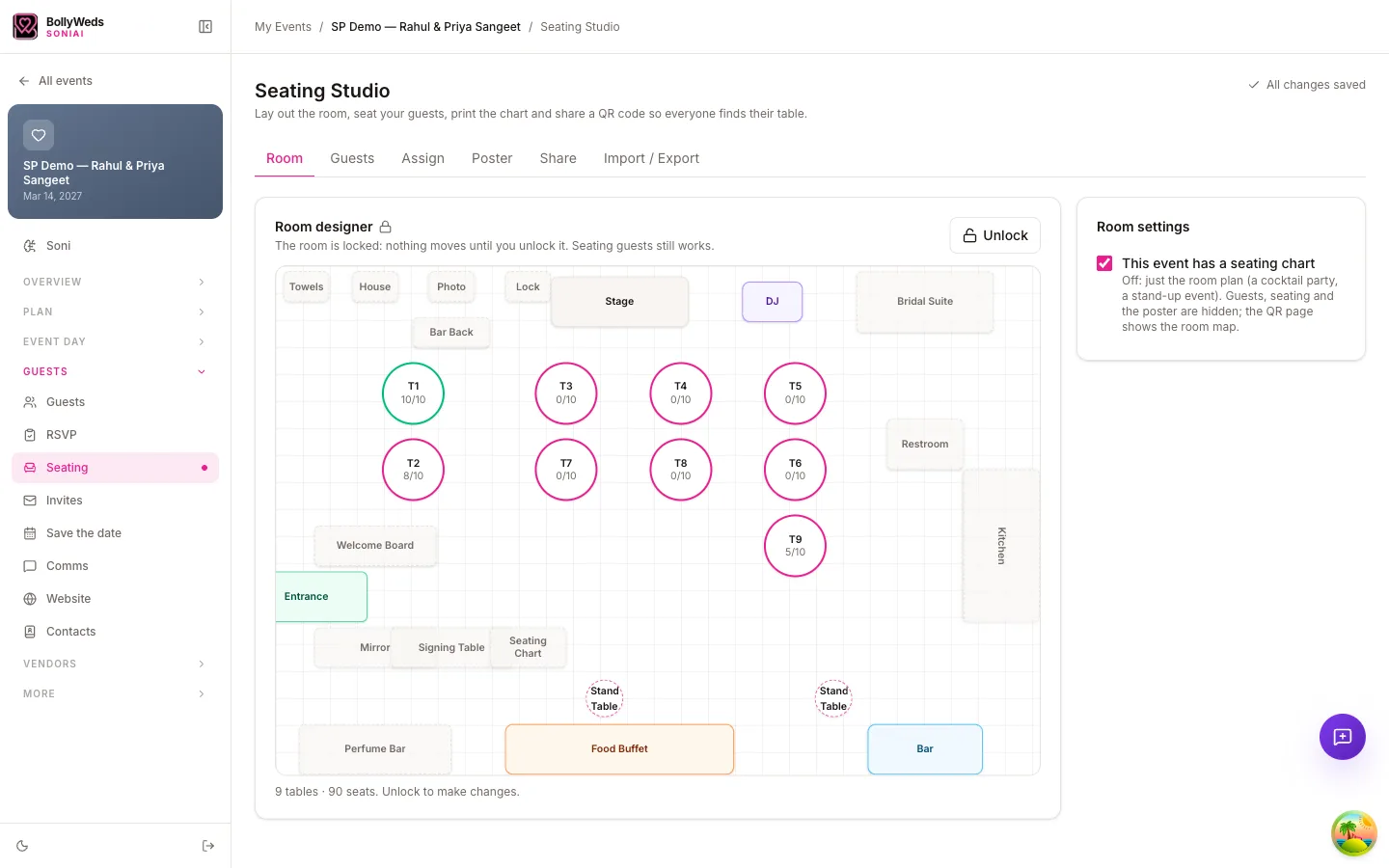
Round, long and sweetheart tables, stage, dance floor and bar — dragged into place on a plan of your venue.
Seat guests from your RSVPs
Accepted guests flow in from your guest list, per function — sangeet seating and reception seating stay separate.
Import from a photo
Snap a sketch, a venue diagram or last-minute paper chart and Soni reads it into tables and names you can adjust.
A printable seating poster
Design the welcome-board chart with your photo and palette, ready to print.
QR “find your table”
Guests scan, type their name and see their table on their phone — updated the moment you move someone.
Tell guests by email or text
Send each guest their table before the event, and only the changes if plans move.
How it works
How to Make a Wedding Seating Chart
- Step 01
Lay out the room
Add tables, stage and dance floor, or import a photo of the venue plan.
- Step 02
Seat your guests
Drag accepted guests from your RSVP list onto tables, function by function.
- Step 03
Design the poster
Choose a style, add your photo and print the welcome-board chart.
- Step 04
Share the QR
Publish the chart and put the QR code on the poster and invitations.
No more seating-chart spreadsheets
The Seating Studio comes with every BollyWeds wedding plan, alongside Soni AI, the Dance & Entrance Studio, guest lists and RSVPs.
Exploring first? Read the 2027 South Asian wedding trends report.
Free planning tools
Keep Planning With BollyWeds
AI Wedding Planning App
Tell Soni about your wedding and get functions, timeline, budget and tasks drafted for you.
Dance & Entrance Studio
Plan entrances and sangeet dances with music, routes, choreography and 3D rehearsal.
Invitation & Stationery Designer
One brand kit for your invitation, welcome sign, program, menu, monogram and merch.
Indian Wedding Planner
AI planning plus vetted South Asian wedding planners, from sangeet to vidaai.
Wedding Venue Matcher
Match venues to your guest count and rituals, then send one RFP to all of them.
Wedding Timeline Checker
Upload your timeline and get a free review of gaps, clashes and risky buffers.
AI Wedding Website Builder
Generate a multi-event Indian wedding website with per-guest RSVPs in minutes.
FAQ
Frequently Asked Questions
How do you make a seating chart for an Indian wedding?
Start from accepted RSVPs for each function, seat families and elders near the front and the couple’s table, keep children with parents, and leave a small buffer of seats. Build one chart per function — the reception often needs assigned seats when the sangeet does not.
How do guests find their table?
Print the QR code on the seating poster and table cards. Guests scan it, search their name and see their table and its place on the room plan.
Can I change seats after sharing?
Yes — the QR page updates as soon as you move someone, and you can notify only the guests whose table changed.
Can it read my existing chart?
Upload a photo of a sketch or a finished chart and Soni turns it into tables and names you can edit.